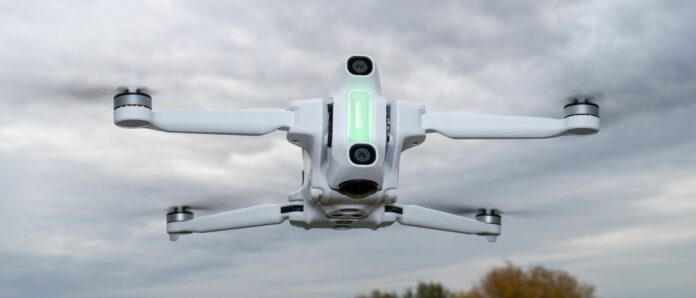
- Image quality at eye level with 360 degree cameras
- Approach the flight first and then the image.
- Stealth drone technology
If you’ve ever used an Insta360 camera like the X5, you’ll find the Antigravity A1 easy and intuitive to use, since Antigravity is a branch of Insta360. Additionally, Antigravity Studio is a redesigned version of Insta360 Studio. So if you already know, you’ve come to the right place. There is a learning curve if you’ve never used it before and it takes time to get familiar with the software, but it’s far from rocket science.
The software allows you to recreate the A1’s aerial photos and videos as you would with a regular 360-degree camera. The only difference is that you fly the drone and not the camera in your hand, attached to a selfie stick or something else. Ultimately, this combines the benefits of 360-degree cameras with the flight capabilities of a drone.
Both cameras have a 1/1.28-inch sensor and an f/2.2 aperture. These create a 360 degree image where the drone is invisible, so you don’t have to crop it, just like invisible selfie sticks with regular 360 degree cameras. Pictures can be taken in INSP and DNG.
Format with resolutions of 14 MP (5248 x 2624) and 55 MP (10486 x 5248). Shooting modes include Normal, HDR, Burst, AEB and Interval. You can update photos in different formats and even create animated images.
Video can be recorded in 8K at up to 30 frames per second, 5.2K at up to 60 frames per second, 4K and 1080p at up to 30 frames per second, and 4K and 1080p slow motion at up to 100 frames per second. The maximum bit rate is 170 Mbit/s and can be encoded in H.264 or H.265. Photo and video editing can be done in the Antigravity phone app or the Antigravity Studio desktop app. The former offers more templates for creating cropped videos, which is a shame because it would be nice to see them available in the desktop app, where it makes more sense to work with 8K footage.
Cropped video
Image quality is excellent for a 360-degree camera – just what you’d expect, and by taking photos and videos at the highest possible resolution, you can maximize image quality. I shot in auto mode when taking photos and video and found the A1 to do an excellent job in all lighting conditions. The show was balanced. The disadvantage compared to manual recording is of course that the shutter speed can be changed during video recording.
animated photo
However, the image quality is not comparable to that of ordinary camera drones: ordinary 360-degree cameras are also not as good as ordinary action cameras. That has always been the case and the downside of being able to capture a full field of view of up to 8K. Although 8K provides large files, the resolution is not as high as it seems because it is a full 360 degree view, unlike a 16:9 screen in 4K or higher on standard camera drones.
- Image and video quality: 4/5

