
- Microsoft is introducing screen glitch removal on public displays to reduce unwanted visual noise
- Windows 11 hides system errors after fifteen seconds on digital signs
- Microsoft focuses on non-interactive displays with a mode that prevents extended visibility in the event of a failure
Microsoft is introducing a mode designed to prevent system crashes from appearing on large public screens for extended periods of time.
The new digital display mode temporarily displays system error screens (such as the infamous Blue Screen of Death or BSOD) for fifteen seconds before turning off the screen.
Administrators must physically interact with a keyboard or mouse to activate the screen after the error occurs.
Tools for restoring and rebuilding cloud configurations
The mode is intended for non-interactive displays and not for systems operating in full-screen mode.
Microsoft says it will also eliminate other pop-up error dialogs besides system crashes.
The intention appears to be to reduce potentially embarrassing situations where error messages appear on public signs, such as transport signs, shop displays, displays or large corporate displays.
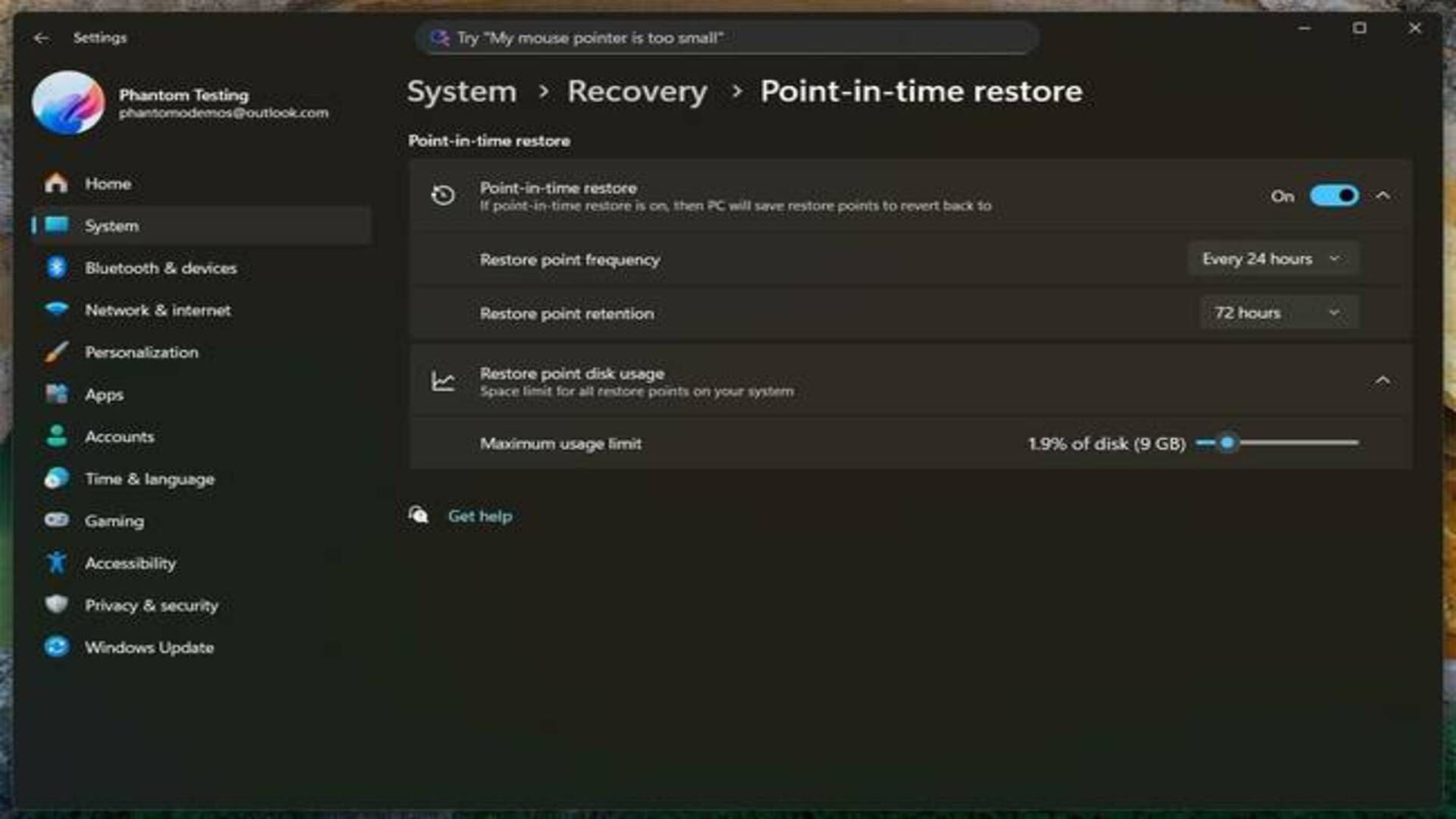
Microsoft is expanding recovery capabilities by introducing point-in-time recovery, which allows users to restore a system to a previous configuration.
Snapshot recording can be scheduled at intervals of four to twenty-four hours, with retention periods between six and seventy-two hours.
The process can be accessed through the Windows Recovery Environment, where users can select individual snapshots by date and time.
Microsoft also previewed Cloud Rebuild for Windows 11, aimed at IT administrators who need to remotely reinstall and configure devices using Intune.
Once installed, the system restores settings and files from cloud storage, allowing organizations to redeploy machines after failure without manual recovery tools.
Microsoft plans to introduce hardware-accelerated BitLocker encryption on future devices to improve onboarding performance and strengthen data protection.
The company added that future systems will support post-quantum encryption algorithms to defend against theoretical quantum computing attacks.
These measures apply to systems used in enterprise parks, including configurations where devices work together with 8K displays for visual workloads in controlled environments.
Microsoft introduces preview versions of text generation tools that apply to more applications.
Handwriting support now works in all text input fields and is processed locally on devices with neural processing hardware.
Outlook receives automatic summaries via email, while Word generates alternative text descriptions for images.
This update cycle may reflect an increasing focus on stability in environments where Windows is displayed on dashboards, enterprise displays, or unmanaged public signage.
IN the record