watchOS 26 Is Almost Here — What to Expect and What You Might Miss
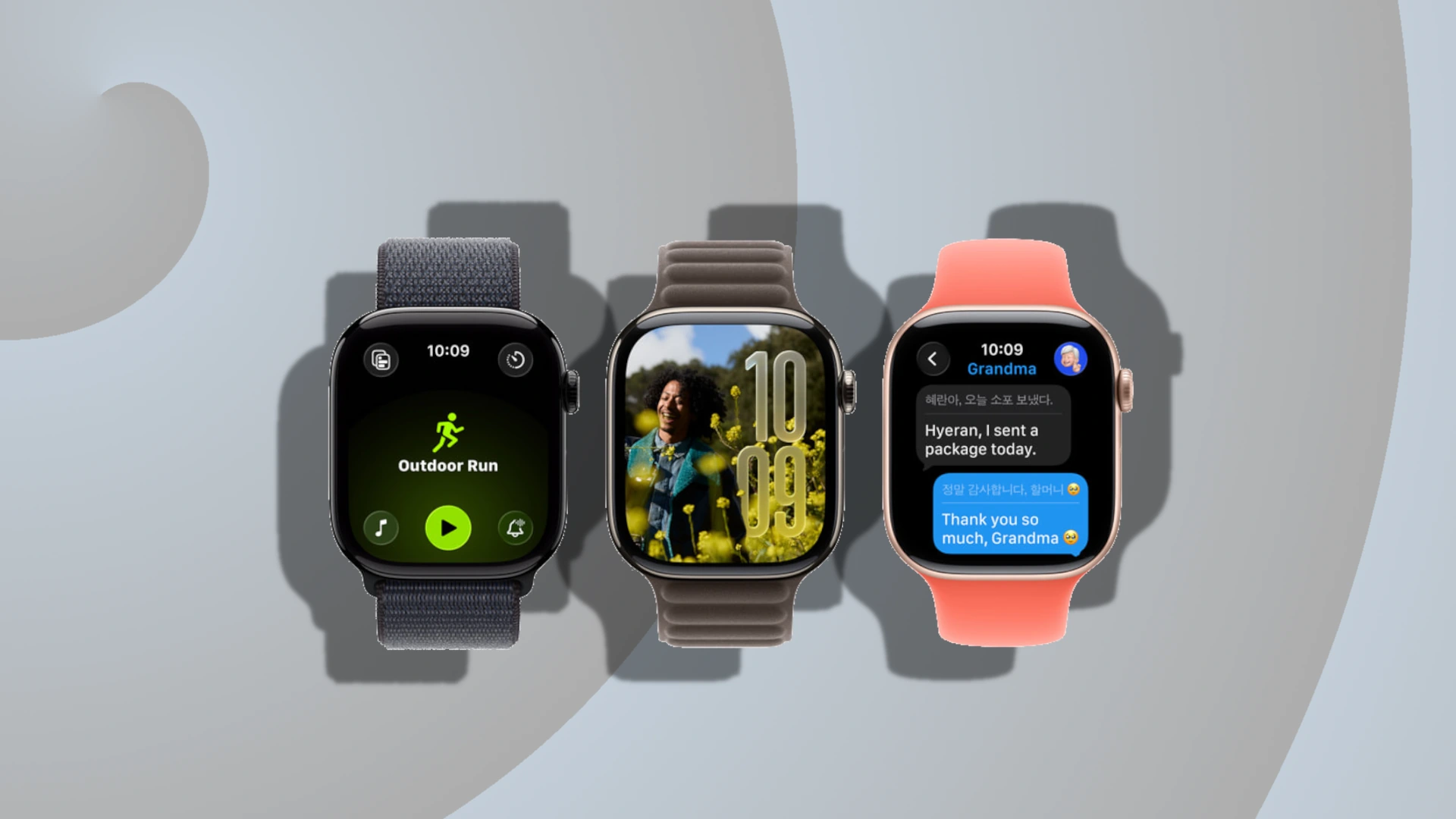
With the public beta of iOS 26 just around the corner, excitement is building for Apple’s biggest software update yet. But it’s not just the iPhone getting a makeover — watchOS 26 is also on the horizon, bringing a wave of new features to Apple Watch users.
If you own an Apple Watch Series 6 or newer, including the Apple Watch SE 2 or any Apple Watch Ultra, you’ll be eligible for the update. However, not all features will be available across the board.
Contents
Some Features Are Exclusive to Newer Models
While many users will enjoy the benefits of watchOS 26, four standout features are reserved for the Apple Watch Series 9, Series 10, and Ultra models. If you’re using an older device, here’s what you’ll be missing:
1. Wrist Flick Gesture
Apple introduced the Double Tap gesture in 2023, allowing users to perform actions like starting workouts or silencing alarms with a simple tap. Now, Wrist Flick takes that concept further with a more intuitive, hands-free experience.
Unfortunately, this feature is limited to the latest Apple Watch models. It promises smoother control but won’t be available on devices released before Series 9.
2. Smarter Smart Replies
watchOS 26 enhances Smart Replies with more accurate, context-aware suggestions. These improvements work regardless of your iPhone model — as long as it supports the latest iOS — but you’ll still need a newer Apple Watch to use them.
3. Automatic Volume Adjustment
This feature allows your Apple Watch to adjust speaker volume based on ambient noise. It’s designed to improve notifications, alarms, and Siri interactions in noisy environments.
However, only Apple Watch models from 2023 onward will support this functionality, leaving older devices without this helpful upgrade.
4. Live Translation with Apple Intelligence
One of the most exciting additions from WWDC 2025 is Live Translation, powered by Apple Intelligence. This feature lets you translate languages directly from your wrist.
It’s a game-changer for travelers and multilingual users, but it’s exclusive to Series 9, Series 10, and Apple Watch Ultra 2.
What You Will Get with Older Apple Watch Models
If you’re using an Apple Watch Series 6 or later, or the SE 2, you’re still in for a solid upgrade. Here are five features you can look forward to when watchOS 26 launches:
1. Liquid Glass Interface
Unveiled at WWDC 2025, Liquid Glass is a major design overhaul. It introduces a sleek, transparent interface with glossy visuals and dynamic widgets that expand to make better use of limited screen space.
The best part? It’s available on all compatible models, including older ones — no upgrade required.
2. Apple Intelligence Workout Buddy
Fitness gets smarter with Workout Buddy, a new feature in the Workout app. It uses Apple Intelligence to analyze your health and workout history, offering personalized motivation and spoken summaries.
To use Workout Buddy, your iPhone must support iOS 18.4 or later, so make sure your phone is up to date.
3. Notes App on Your Wrist
One of the most requested features is finally here — the Notes app is coming to watchOS. You’ll be able to view, create, and manage notes directly from your Apple Watch.
Use Siri, dictation, or the keyboard to jot down ideas, make checklists, or access your grocery list on the go. This feature supports Series 6 and newer models.
4. Smart Stack Hints
watchOS 26 introduces Hints to the Smart Stack, offering timely suggestions based on your location and routine. For example, you might see a prompt for a Pilates workout when you arrive at the studio or a Backtrack hint when you’re in a remote area.
These visual cues enhance usability and make everyday tasks more intuitive.
5. Third-Party Control Integration
Developers can now create custom controls for Apple Watch, which users can add to the Control Center, Smart Stack, or Action Button.
Your watch will also display a “From your iPhone” section when editing the Control Center, allowing seamless integration of third-party controls from your phone.
Should You Upgrade Your Apple Watch?
If your current Apple Watch supports watchOS 26, you’ll still receive a robust set of features. But if you want access to the latest innovations like Live Translation and Wrist Flick, upgrading to a newer model might be worth considering.
With the update expected to roll out in September, now’s a great time to evaluate your device and decide whether it’s time for an upgrade.