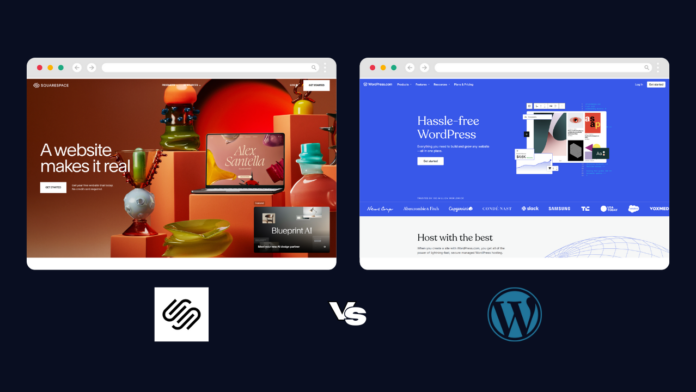
WordPress is the most popular CMS platform in the world. Powers more than 60% of the world’s websites. But with WordPress.com you also get managed hosting and maintenance.
Squarespace is an all-in-one website building platform. It is designed for users who want to achieve professional results quickly. Additionally, hosting and maintenance are managed automatically.
Both WordPress.com and Squarespace are great options for website building in 2025. WordPress offers unlimited flexibility thanks to its open source CMS.
But Squarespace offers an elegant all-in-one solution for new users. Each platform effectively meets different user needs.
The main differences are complexity and control. WordPress requires more technical knowledge but offers unlimited possibilities.
Squarespace emphasizes ease of use with beautiful templates and streamlined features. This guide will help you determine which platform meets your specific needs and technical comfort level.
WordPress vs. Squarespace: A Detailed Breakdown
WordPress vs. Squarespace: Features
Both platforms are designed to be easy to use even for those who don’t necessarily have experience in web design or programming. Squarespace offers a drag-and-drop editor that lets you easily move elements around the page to create a website exactly the way you want. WordPress also offers an intuitive WYSIWYG (What You See Is What You Get) editor that allows you to quickly customize the look and feel of your website.
WordPress and Squarespace offer users a wide range of customization options. WordPress has thousands of themes available that can be easily installed with just a few clicks. Squarespace also offers a variety of templates for different types of websites, including eCommerce platforms, portfolios, blogs, and more.
But with WordPress, you can customize almost every aspect of your website design to your exact specifications. This means that if you want to create something completely unique and eye-catching, it is possible with WordPress. However, this also means that you will need some programming knowledge to take advantage of this level of customization.
Squarespace takes a different approach and offers template designs already created for you. If you’re new to programming or don’t have time to create a custom theme from scratch, this is a quick and easy way to get started. However, Squarespace’s latest 7.1 update brought some major changes to design flexibility, so templates are just the starting point for your design canvas.
WordPress and Squarespace also differ in terms of content management systems (CMS). A CMS is the technology behind every website and determines how content is stored and displayed on web pages.
WordPress uses an open source software foundation that allows maximum flexibility in the design and coding of your website. Squarespace is based on its own CMS, which gives users less control over the design and coding of their websites, but makes it easier for users who don’t know HTML or CSS.
WordPress vs. Squarespace: Ease of Use
WordPress is known for its flexibility and scalability, but for those new to building websites, its complex interface can be intimidating and cumbersome. To use WordPress, you must have knowledge of HTML and CSS coding to customize the website.
Additionally, users must manually install plugins to add features like contact forms or e-commerce support. For beginners who are not familiar with programming languages or website development in general, it can be overwhelming.
In contrast, Squarespace has a much simpler interface that makes it easier for beginners to navigate. From creating pages and posts to adding features like contact forms or eCommerce support, everything is handled using a simple drag and drop system.
This makes things easier for beginners with no programming experience as they don’t have to worry about manually installing plugins or writing code from scratch. Additionally, Squarespace has an intuitive admin panel that allows users to quickly manage their website without having to navigate complicated menus or settings pages.
WordPress vs. Squarespace: Integrations
WordPress is an open source platform, meaning anyone can create apps or plugins for it. This has resulted in thousands of different apps and plugins available to WordPress users, from eCommerce solutions to analytics tools.
And since these apps and add-ons are created by a variety of developers, they come in all shapes and sizes. Some are free, others are premium. However, the sheer number of options can be overwhelming if you’re not sure what you’re looking for.
Squarespace also offers many options when it comes to apps and add-ons. Although the selection is not as diverse as WordPress, it still offers a wide range of tools to help you create your website quickly and easily.
These include eCommerce solutions like Shopify integration, analytics tracking tools, marketing automation tools, email marketing services, social media integrations, SEO tools, image optimization tools, and more.
The main difference between Squarespace and WordPress offering is that all Squarespace apps and plugins are selected by you, so there is less risk in installing them on your site, even if the selection is smaller.
WordPress vs Squarespace: Support
When it comes to security, WordPress is the clear winner. Although both platforms offer strong security measures, WordPress has more layers of protection.
Firstly, every year there are several updates to the core software and plugins that can help protect your website from hackers and cybercrime. Additionally, WordPress offers a variety of plugins that provide additional layers of security, such as firewalls, spam protection, malware scanning, and other tools to protect against attacks.
Squarespace also offers basic security measures like SSL certificates and regular backups, but its options are limited compared to WordPress. The bottom line is that WordPress is the best option if you want maximum protection for your website.
WordPress vs. Squarespace: Security
When it comes to support, Squarespace offers more comprehensive help than WordPress. When you choose Squarespace to build your website, you’ll have access to 24/7 customer support via phone or email, as well as comprehensive tutorials and online resources to help you resolve any issues you may have with your website.
WordPress offers basic customer support, but it’s not as comprehensive as Squarespace. Additionally, WordPress may require you to hire an experienced web developer to get the most out of the platform, which can be expensive depending on the complexity of your project.
WordPress vs. Squarespace: Pricing and Plans
The cost structure between these two services is also very different. WordPress offers a free plan, but it comes with limited features and customization options. Additionally, you’ll need to purchase a separate domain name if you don’t already have one (which can add up).
If you want access to advanced features or add-ons, you will need to upgrade your plan. Paid plans start at $4 per month, making them much cheaper than Squarespace’s basic plans.
By comparison, Squarespace plans include hosting and domain name registration, so there are no additional costs associated with setting up your website beyond your chosen plan (ranging from $16 to $52 per month, and even less if you use one of our Squarespace promo codes). However, there is no free plan available, only a trial version.
Plus, all plans include unlimited storage, so you don’t have to worry about running out of space as your website grows over time.
WordPress versus Squarespace: final verdict
In short, both WordPress and Squarespace have their advantages and disadvantages as CMSs.
If you are looking for complete control over your website with the ability to customize each page using the HTML/CSS coding language, WordPress could be a great option for you. However, if you don’t have coding experience but want something aesthetically pleasing, Squarespace might be a better option.
- Here is a list of the best small business website builders on the market.
