
Cisco SD-WAN CVE-2026-76504: Check, Patch and Verify
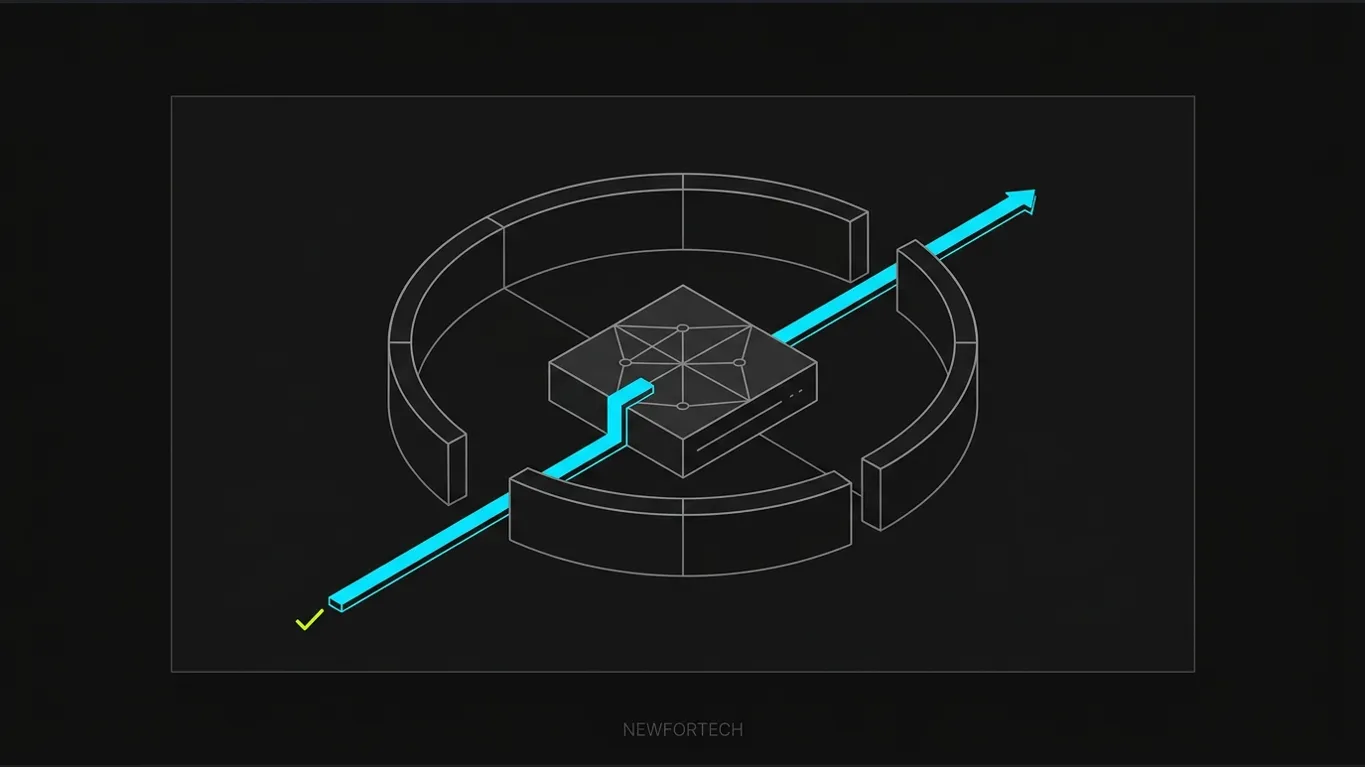
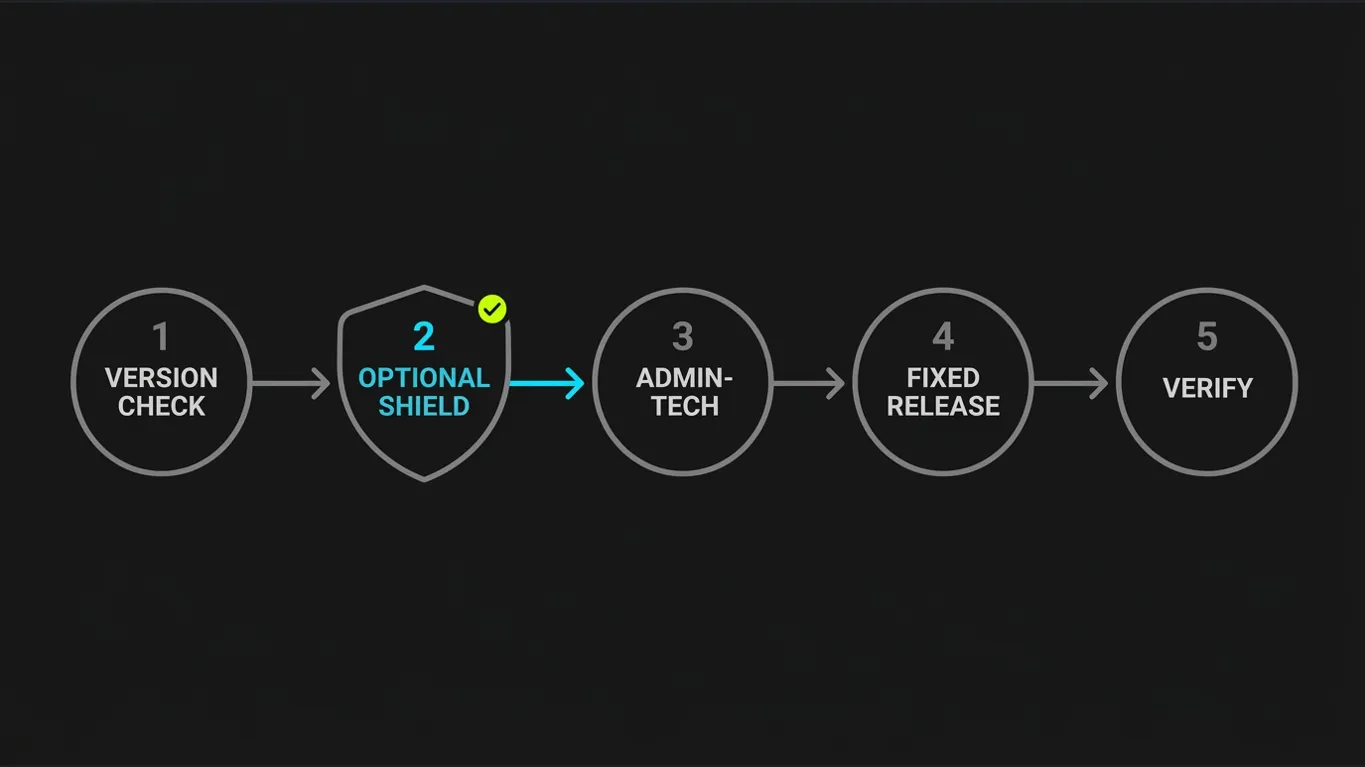
Cisco SD-WAN CVE-2026-76504 is an unauthenticated API authentication bypass in Catalyst SD-WAN Manager. Cisco rates it CVSS 9.8 and reports active exploitation. The operational priority is clear: identify every affected Manager, preserve evidence, apply only a supported temporary shield if needed, then upgrade to a fixed release. The method resembles the inventory-first approach in our NetScaler CVE build and config checks, but the evidence and mitigation steps here are specific to Cisco SD-WAN.
- Treat every below-threshold Manager as affected, regardless of feature configuration.
- Collect admin-tech evidence from every Manager before upgrading.
- Live Protect shields are partial and may block URI-encoded login credentials.
- Upgrade to the first fixed release for the current train, or plan a supported migration.
- Do not assume a clean log proves the appliance was never compromised.
Cisco SD-WAN CVE-2026-76504: how the URI-encoding flaw works
Cisco’s PSIRT advisory attributes CVE-2026-76504 to improper handling of URI-encoded characters in an HTTP request. A crafted request can bypass an authentication check protecting an API endpoint. The resulting access can be treated as the admin user.
The defect is tracked as CSCww79570, with a critical CVSS 3.1 base score of 9.8. No prior authentication or user interaction is required, so a reachable management interface deserves urgent attention.
The log pattern is subtle. Requests target the /j_security_check authentication handler with a character represented using URI encoding. Cisco gives %6a as one example for the letter “j”, but says other single-character encodings can trigger the issue. Therefore, searching only for %6a is not a complete detection rule.
CISA added the vulnerability to its Known Exploited Vulnerabilities catalog on 30 September 2026. Treat a vulnerable, internet-reachable Manager as a potential incident, not just a routine maintenance ticket.
Affected versions and fixed-release targets
The thresholds are train-specific, so compare the full running release, including its maintenance number, with the matching row below. A higher number in another train is not a substitute for the fixed target.
| Earlier than 20.9 | No listed fix; migrate to a supported fixed release |
|---|---|
| 20.9 | 20.9.10.1 |
| 20.12 | 20.12.8.2 |
| 20.15 | 20.15.6.1 |
| 20.18 | 20.18.4.1 |
| 26.1 | 26.1.2.1 |
| 26.2 | 26.2.1 |
These are minimum targets for this CVE, not claims that every listed release is the newest available software. The upgrade guidance keeps changes within the existing major train. Releases earlier than 20.9 need a supported migration plan because this advisory lists no fixed build for them.
Use the same target for every Manager in a cluster and disaster-recovery site; do not scope the work only to the active node. The affected role is the Manager, not Controllers (vSmart) or Validators (vBond).
Step 1: Verify the release and management exposure
Inventory every production Manager, cluster peer, standby instance and disaster-recovery site. Record each hostname, hosting model, management reachability, running release and fixed target so no standby node is overlooked.
On the SD-WAN Manager CLI, run show version and record the output. Cross-check the release under Monitor > Advisories before choosing a shield or upgrade package.
For a repeatable CLI-checking pattern, see our PAN-OS version verification guide. Capture the output from every Manager and keep it with the change record.
Next, determine whether the management web interface is reachable from the public internet or other untrusted networks. Cisco says the vulnerability applies regardless of feature configuration; turning off an unrelated feature does not remove it. Restrict management access to known, trusted hosts while you prepare remediation, but treat that control as exposure reduction rather than a fix.
If you find a vulnerable Manager exposed to the internet, escalate it as a priority incident. Preserve access logs and note unexpected management activity. Even if the interface is not public, keep the node in scope until it reaches a fixed release.
Cloud hosting changes who performs the patch, not the need to verify status. Cisco says Managed cloud release 20.15.605 includes the fix and requires no user action. For other hosted overlays, check the service portal’s Overlay Details and Change Windows, or ask the provider or TAC to confirm the target release.
Step 2: Use the Live Protect shield only as a stopgap
Live Protect is temporary, partial mitigation. The upgrade remains mandatory. Cisco’s documentation ties package availability to the control-component release, so check the Manager before relying on a shield. Before installation, confirm that the selected archive matches the installed Control Components release; do not choose a file just because its version number looks close.
Open Monitor > Advisories > Security Advisories, select Control Components, open the CVE advisory, then choose Affected Control Components and Deploy Shield. Cisco applies it to all applicable control components; individual selection is not supported.
Choose Monitoring to log events without blocking them, or Protecting (Enforce) to block exploit attempts. Monitoring gives visibility, not prevention, so select the mode according to your incident-response policy.
The Cisco shield notes list packages for control-component releases 20.18.3, 20.18.3.1, 20.18.4 and 26.1.2, but not for 20.15 and earlier. For 20.18.4, use sdwan-20.18.4-cve-2026-76504-v01.tar.gz; select the exact package shown in the Manager for other releases.
After deployment, open Monitor > Devices, select a device, then open real-time monitoring and choose Lpshield List. Record the mode and status; the advisory’s Control Components view reports shield hits.
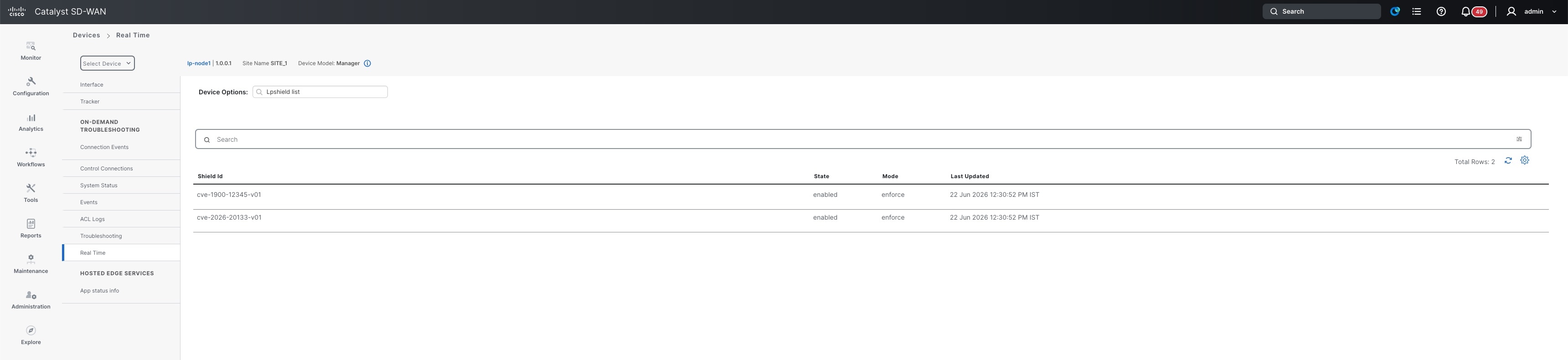
Cisco Live Protect shield limitations
The main side effect is authentication compatibility. Cisco warns that legitimate users whose credentials contain URI-encoded characters may be unable to sign in while the shield is applied. Test a known-good account before enforcement, and prepare an approved recovery route for administrators.
Shields may not fully mitigate risk during device boot, and they do not cover air-gapped deployments. Cisco also warns that an incompatible shield can cause instability, including boot loops. An upgrade removes the installed shield, so do not mistake its absence afterward for an upgrade failure.
If the shield causes an authentication issue, Cisco’s documented path is to open the advisory under Monitor > Compliance > Advisories and choose Disable Shield. This is a recovery step, not a reason to leave the Manager unpatched. Complete the fixed-release upgrade as soon as change conditions allow.
Before enforcement, schedule a controlled login check with a second authorized administrator. Keep the approved recovery route available, and record who can disable the shield if the primary login fails.
Step 3: Run a request admin-tech SD-WAN audit
Collect forensic material before upgrading. Cisco calls for an admin-tech bundle from every Manager, including cluster peers and disaster-recovery nodes, so TAC can inspect evidence before the software changes.
On each Manager, run request admin-tech and select Log and Tech; Core is not required. Label each bundle with its hostname and node role, then store it in the restricted incident record.
Some of the relevant files are not directly accessible to ordinary customers because they require root access. Cisco’s documented customer workflow is therefore to generate admin-tech and inspect the extracted bundle, rather than assume that a normal GUI log view includes every relevant file.
Inspect the two documented indicators
Search web-server access logs for URI-encoded characters in requests to /j_security_check. Because %6a is only one example, review each source address against approved scanners, penetration tests, administrator traffic and unknown hosts.
Cisco identifies two locations for closer review: /var/log/nms/containers/service_proxy/serviceproxy-access.log and /var/log/nms/vmanage-server.log. In the second file, the related indicator includes a target username beginning with viptela-reserved-. Check current and rotated logs when present in the bundle.
The advisory and remediation materials use slightly different spellings for the service-proxy directory. Confirm the extracted path in the bundle instead of assuming that a single spelling applies to every release. A match is not proof. The advisory also notes that some matching activity can occur during normal operations.
Where available, preserve timestamps with their time zone and source IP; record request paths and HTTP status separately. Work from copies of the extracted logs, and keep the original admin-tech bundle unchanged for TAC.
If admin-tech fails, use documented vshell checks on each Manager. Check active and rotated logs, preserve the findings for TAC, and do not delete suspicious sessions before evidence is retained.
After upgrading, open a Severity 3 TAC case titled CVE-2026-76504 and attach every bundle. TAC scans for indicators but does not perform in-depth forensic investigations, so involve an incident-response specialist if evidence suggests compromise.
Step 4: Upgrade to a fixed release and verify integrity
Once the bundles are captured, upgrade each affected Manager to its train’s first fixed release. Do not wait for TAC’s scan to patch; it informs follow-up response. Open a TAC case if the upgrade fails or the supported path is unclear.
Confirm the target image for every cluster member and check disaster recovery separately. Teams with scheduled fleet maintenance windows can reuse their existing change-control habits; see our enterprise update readiness workflow for a related approach.
Post-upgrade verification
Run show version on each Manager again and compare the output with the fixed-release matrix. Save the result with the change record; a successful job status alone does not prove every node runs the required release.
Inspect the Manager’s active API-session view for unexpected administrative sessions, then compare suspicious addresses with the forensic findings. Cisco publishes no CVE-specific CLI command for this check, so use the operational view supported by your release.
Finally, check Manager cluster health and confirm Controllers (vSmart) and Validators (vBond) are reachable and synchronized. They need no upgrade for this CVE, but the Manager must remain compatible. Cisco’s example pairs Manager 20.15.6.1 with Controllers and Validators at 20.15.6.
An upgrade removes the installed Live Protect shield from that component. Recheck its state, but do not reinstall automatically; confirm whether the fixed release still supports mitigation. Continue monitoring web logs and retain them externally for later investigation.
Close the change only after the record includes the final release on every Manager, the API-session review and compatibility result, plus shield status after the upgrade.
Frequently asked questions
01 Can the Live Protect shield replace the upgrade?
02 Are all Catalyst SD-WAN Manager versions affected?
03 What evidence should I collect before patching?
04 Do cloud-hosted instances require manual intervention?
05 Do vSmart and vBond need upgrades for this CVE?
Who should act first?
Start with internet-reachable Managers running below their train’s fixed release, then cover every remaining affected Manager in the same change window or documented sequence. If you only operate WAN edge routers, vSmart Controllers or vBond Validators, they are not the patch target for this CVE; do not skip the compatibility check when a Manager changes version.
A version number alone is not the endpoint. Every Manager must run a fixed build, forensic bundles must be preserved, administrative sessions must be reviewed, and control-component communication must be healthy. This guide is based on analysis of 4 sources: Cisco PSIRT advisories and product documentation, alongside CISA’s KEV catalog and community issue reports. No hands-on testing was performed.

Add comment